

Virtual Office Hours
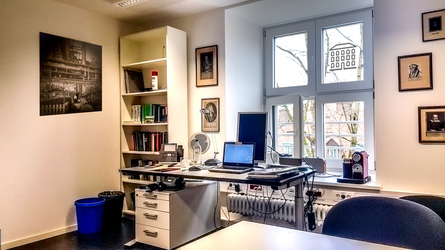
My office is Room 313 in the Philosophicum at Domplatz 23. However, there is also a virtual office! You will find it very quickly here. Please consult the homepage of this website for information on my (virtual) office hours. If you access the link to the virtual office during an office hour, you will be received in a waiting room.
The fact that you find yourself in a waiting room is already a moderately encouraging sign for you. For it means that I have started the video meeting and am presumably currently engaged in a conversation. On wwu.zoom.us, you may fully control your privacy. It is possible at any time to disable your audio and video. When you enter my office hour, your video is activated automatically. This differs from entering my courses, in which the video is always deactivated at first.
Should an expected meeting not be accessible (that is, you do not end up in the waiting room), or should you have to wait for an extremely long time, please do not hesitate to contact me alternatively by email. Since I mute all telephones whenever I have meetings running, calling me is generally futile.
Virtual Seminar Rooms
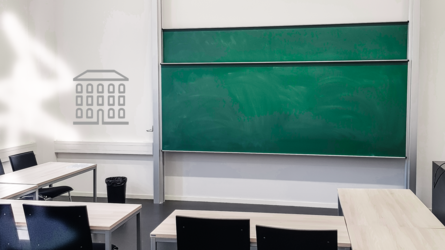
In the winter semester 20/21, part of my courses will fundamentally take place online as zoom.us sessions. The rest of my courses will take place in person, insofar as circumstances permit. All first sessions in all courses will be organised online via zoom.us. Please register for courses with me in LSF by Thursday, 29 October 2020. You will then receive an email on Friday, 30 October 2020, with the link to the zoom.us meeting for the first session. During the session, you will then receive the access key for the Learnweb course (the WWU's Moodle).
Depending on the number of participants, we will then decide when we may truly transition into the in-person phase for my in-person courses. You may inform yourself about the aforementioned "circumstances" here: (a) in general, (b) for first-semester students. Should anything change regarding in-person teaching with respect to my courses, I will always inform you via the Learnweb course.
Before using the offerings on wwu.zoom.us, you should familiarise yourself thoroughly with the technology. Students and staff of the WWU have access to the portal. You will receive the links to the meetings via LearnWeb. In my courses, your audio is always initially switched off when you enter the virtual seminar room. In my courses, your video is always initially switched off when you enter the virtual room. Both serve to protect your privacy and to allow for an unobtrusive entry into the sessions (no door sounds, no scraping of chairs, and the field of view is not disturbed by latecomers).
It may happen that, upon entering the virtual course, you find yourself in a waiting room. As a rule, however, you will be able to enter the session fully even if I have not yet joined. In that case, I am simply not yet present. On wwu.zoom.us, the "host" of a meeting is always connected with both audio and video. You can also always see in the participants' list who is present, even if video and/or audio is deactivated. In this respect, everything is essentially as it is in true, actual reality.
On the ethics of zoom.us meetings: Owing to each individual's personal rights, sessions may not be recorded. As in in-person teaching, the following applies: one is either present or not. If you take part, it is a matter of courtesy that you activate your video – insofar as this is technically possible. You should regard yourself as actively and self-responsibly obliged to secure adequate technical equipment, insofar as this is possible. (If one is realistic, we will still have to go through regular lockdowns during the semesters of 2021.) As a lecturer, it is frustrating to speak into a screen consisting largely of greyed-out tiles. Online teaching is genuine teaching! And in the seminar room, you do not conceal yourself either. Should you, however, merely wish to consume the course (as if watching television), you thereby demonstrate to me that you hold a problematic conception of your vocation. Whether online or in person, we work together intensively. This presupposes certain forms of conduct.
Virtual Examinations
Naturally, oral examinations, too, can readily be conducted as online examinations. In principle, everything proceeds just as it would in actual reality. As an examinee or as an assessor, you will present yourself at my virtual office. You will presumably land in the waiting room and be “called in” from there. Please be patient! The fact that you find yourself in the waiting room makes it clear that you have not landed in nowhere. During the oral examination, the examiner and the examinees should keep their audio activated at all times. Assessors should deactivate theirs and switch it on only when necessary. All participants must keep their video activated the entire time.
Please ensure that the examination proceeds elegantly. Besides the content, you should check the technology: (a) audio and video must be activated, (b) your computer should allow for a smooth run, (c) your internet connection should have sufficient capacity. Should you be unable to guarantee one of these three requirements, please ensure that you can at least guarantee it for the duration of the examination. At the WWU, there are workstations that can be booked for this purpose. Please inform yourself about this.
As an assessor in my examinations, I ask you to familiarise yourself with the online form for the minutes and, above all, to create a certificate in Acrobat for the virtual signature. I can provide you with further information. You will receive personalised minutes files from me by email before the examination.